
Coach
A coach that has already read your logs.
Ask why a number is what it is, what to eat tonight, or what to do when a lift hurts.
On this page
How it works
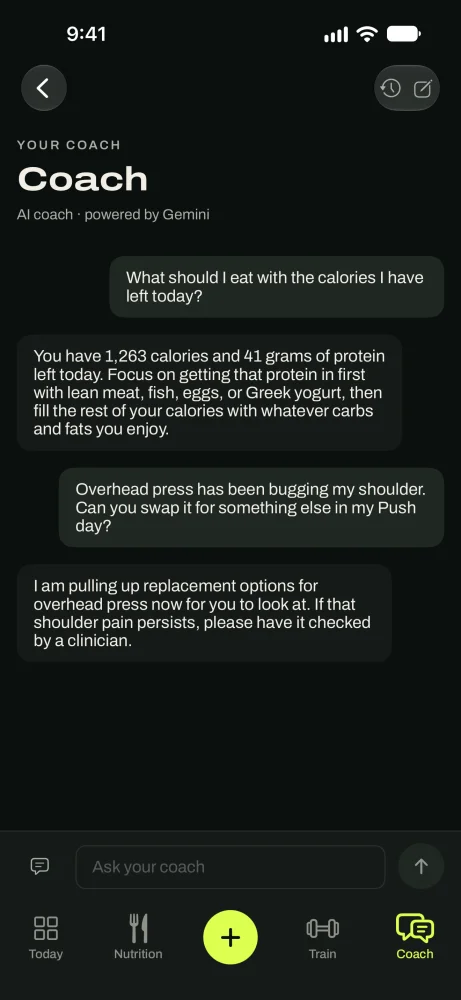
The coach is powered by Google's Gemini AI. With each message it gets a summary of your plan and what you've logged: weight trend, food and protein, workouts, sleep and energy, check-ins, and any injuries you listed. That's why its answers are about you.
The first time you send a message, the app asks your permission. Your conversations are saved to your account so you can reopen them. Google doesn't use them to train its models.
Ask your coach
Open the chat
On the Coach tab, tap the message icon at the top. You can also reach it from Settings › Coach.
In the appCoach › Message your coach
Pick a question, or write your own
Starter questions are grouped by topic: right now, my plan, training, progress, when it goes wrong. They only show when you have the data to answer them. Tap Browse all topics to see more.
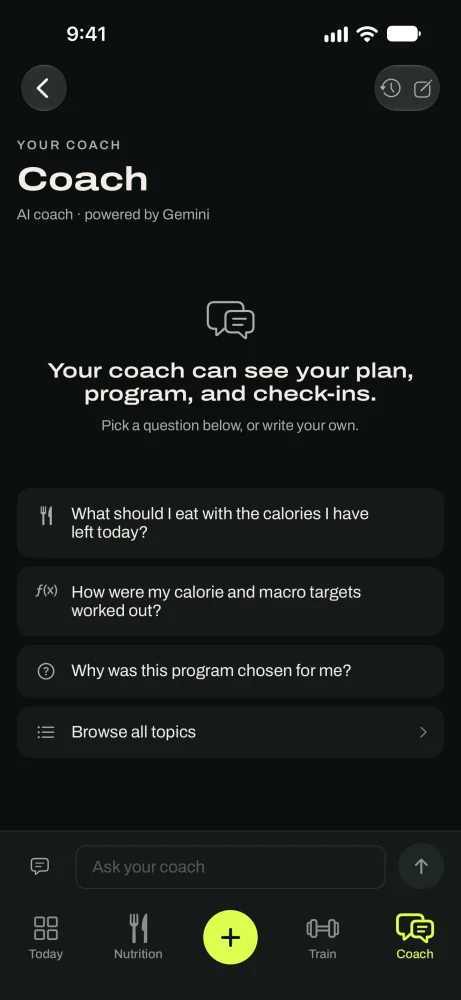
Starter questions, based on your own data.
Changes the coach can suggest
Accept, change or dismiss a suggestion
When the answer is a different program or exercise, the coach builds it from the library as a card. Tap Install for a program or Swap for an exercise. Tap Change something to adjust it, or Not now to leave things as they are.
The coach doesn't change your calorie targets. Those only move at a check-in.
Limits
The coach has a monthly AI allowance and an hourly limit. A banner warns you when you're close. If replies pause, they come back at the time shown. Logging, your targets and your check-in don't use AI and keep working.
The coach needs a connection. The rest of the app works offline.
The coach gives general fitness guidance, not medical advice.
Good to know
- TipBe specific: "I have 30 minutes and no barbell" gets a better answer than "short workout?"
- TipTell it about a trip or a bad week before it happens.
- TipAsk it to explain any number on the Coach tab.
- TipSomething hurts? Ask for a swap. It knows the injuries you listed.
Questions
Keep reading
Your plan
Your goal, daily targets and workouts in one place, and how to change any of them.
TrainTraining
Start a workout, log sets against last time, rest timer, plate calculator, PRs and Apple Watch.
Check-insCheck-ins
Every two weeks, one suggestion from your real logs. You accept it or decline it.
Still stuck? Email support@getgoodenough.com.
Coming soon