
Progress and Apple Health
See where you stand today and where the trend is heading, without the daily noise.
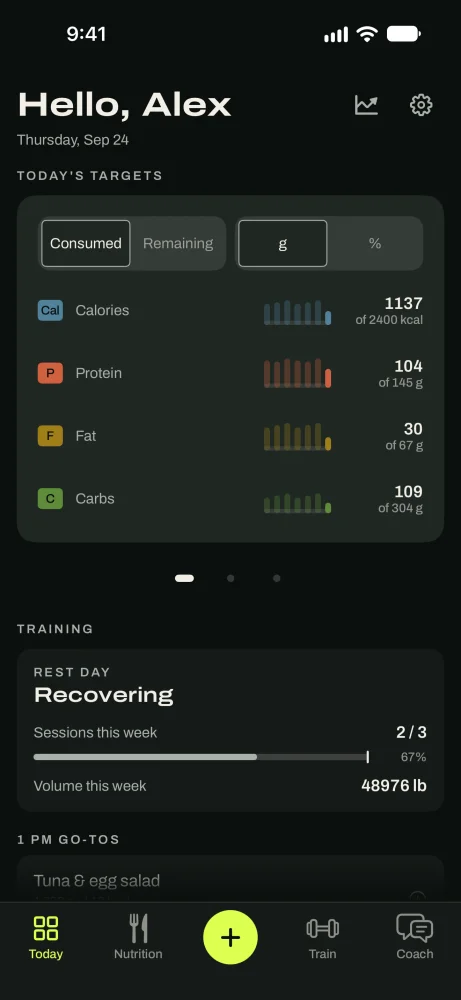
Today shows your targets, your workout and your week. Progress shows your trend.
On this page
How it works
Your weight moves up and down by a couple of pounds a day from water and food. The app draws a trend line through your weigh-ins, and that's what it reads, not any single day.
Your daily burn is measured too: the app compares what you ate with how your trend moved. Apple Watch calories are shown next to it for comparison but never change your food target.
Today
Today's targets: what you've eaten against your calories and protein.
Training: today's workout, or a rest day.
This week: how the week is going so far.
Tap Progress at the top of Today for your weight, insights and consistency.
Your weight trend
Read the trend
Dots are your weigh-ins. The line is your trend. One high reading barely moves the line, so don't let one morning ruin your day.
In the appToday › Progress › Weight
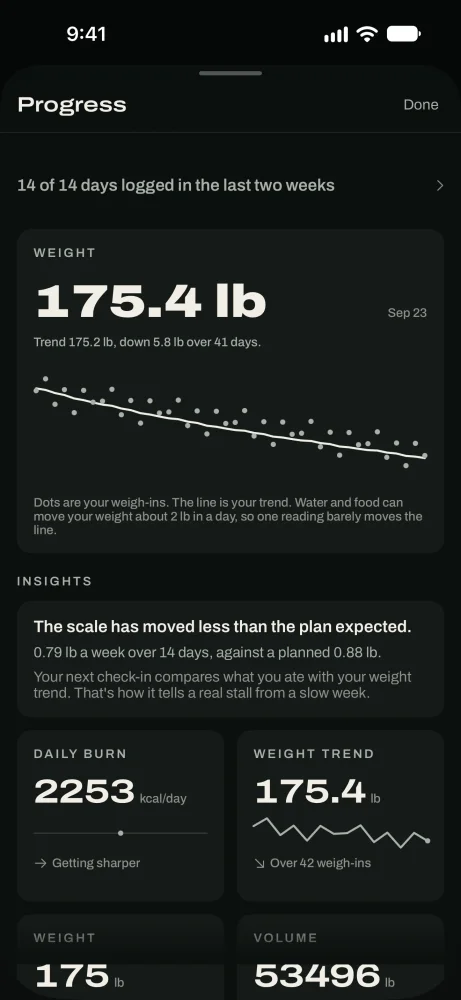
Trend weight, not daily noise.
Your daily burn
Calories you burn a day, on the Coach tab, shows a likely range and how much comes from your body and how much from training. Tap it to see what it's built on.
It starts as an estimate. After about 21 days of logs, it's measured from your food and weight trend instead.
Apple Health
Connect Apple Health
Tap Connect Apple Health. The app reads your weight, height, body measurements and workouts, and your Apple Watch's daily energy. Weights from your scale sync on their own.
Apple Health is read on your phone. Only the weights you import are saved to your GoodEnough account.
In the appSettings › Apple Health
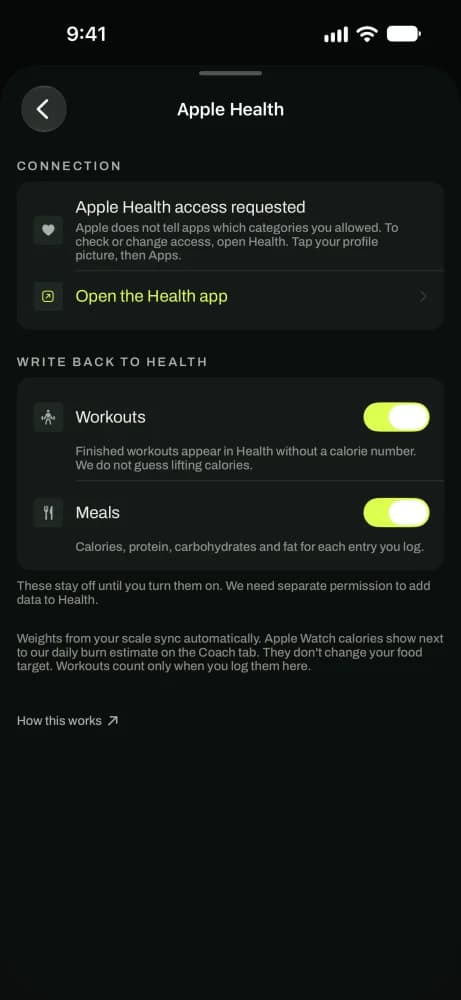
Choose what syncs with Apple Health. Write back to Health, if you want
Under Write back to Health, turn on Workouts, Meals or both. Workouts appear without a calorie number. Meals include calories, protein, carbs and fat. Both stay off until you turn them on.
Good to know
- TipCompare this week's trend with last week's, not today with yesterday.
- TipWeigh in at the same time each day for a cleaner trend.
- TipApple Watch calories are useful to see, but they're often 20 to 30% off. The target comes from your trend.
Questions
Keep reading
The method
Why your targets start as an estimate, how they get measured, and why they move every two weeks.
Check-insCheck-ins
Every two weeks, one suggestion from your real logs. You accept it or decline it.
AccountAccount and data
Sign-in and sync, your subscription, where your data lives, export and delete.
Still stuck? Email support@getgoodenough.com.
Coming soon