
Getting started
A few questions in, you have daily targets and a workout plan built for your actual week.
This page walks you from the first screen to your first logged meal and workout.
On this page
How it works
Setup asks about you, your goal and the training you can fit in. From that it builds two things: daily targets for calories and protein, and a workout plan sized to your days, your time and your equipment.
Those first numbers are an estimate. Once you log food and weigh in, the app measures what you really burn and adjusts at a check-in every two weeks. The more you log in the first two weeks, the sooner the plan runs on your numbers instead of averages.
- Answer questions
- Get your plan
- Log food and workouts
- First check-in
Set up your plan
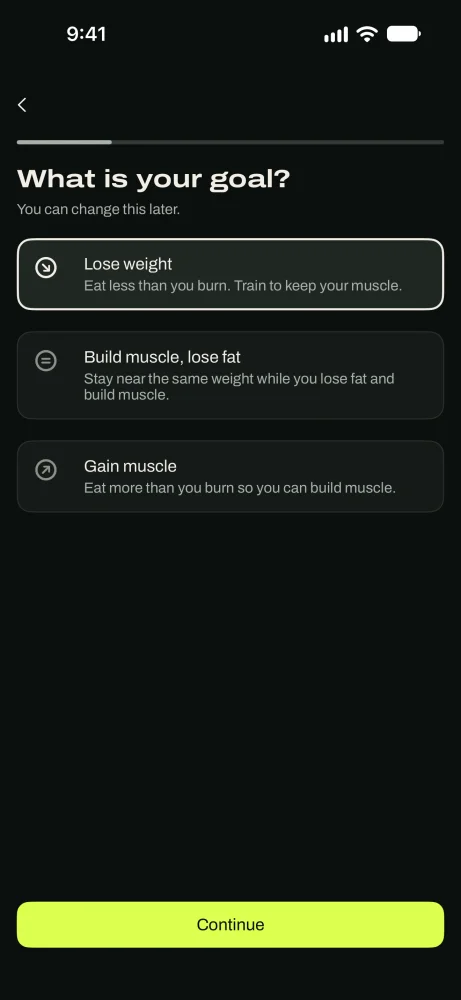
Choose your goal
Pick Lose weight, Build muscle, lose fat, or Gain muscle. Then enter your current weight, sex, age and height, and the weight you're aiming for.
If you're losing or gaining, choose how fast. The rate is a percentage of your bodyweight per week. Slower is easier to keep up.
Choose how your targets update
Propose changes: every two weeks the app suggests new targets, explains why, and you choose whether to accept them.
Leave it to me: the app keeps tracking your progress and changes nothing until you ask.
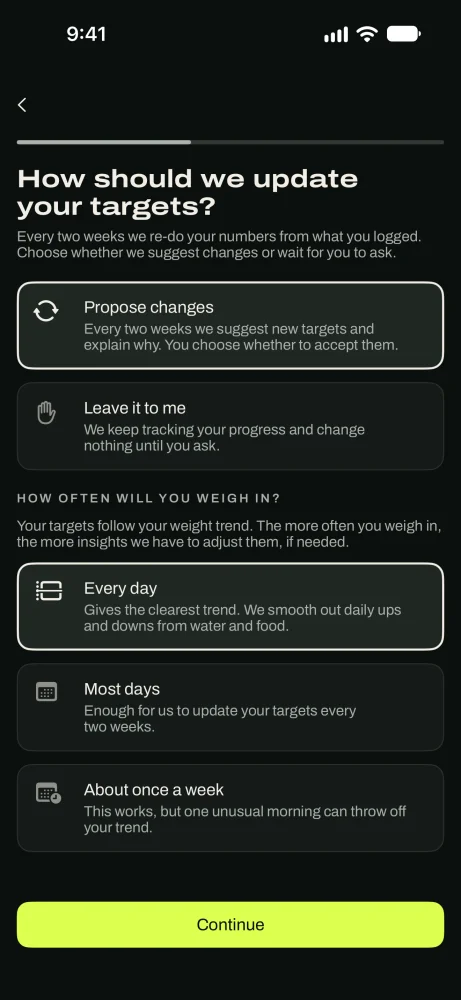
Suggestions you approve, or no changes at all. Tell it about your training
Pick the days you can train, how long a workout can be (30 to 90 minutes), where you train, and what the training is for. Mark anything that hurts, like knees or lower back, and exercises you love or hate.
Your workout plan is picked from these answers. You can change any of them later.
Add body photos, if you want
Three optional photos (front, back and side) give a body-fat estimate. The photos go to Google's Gemini AI through our servers, and the app asks your permission first. We don't keep them. Skip this step and everything else still works.
Save your plan
Create an account with Apple, Google or email so your plan and history move with you to a new phone. Then you'll see "Your plan is ready" and can tap See how we built this for the reasoning behind every number.
Using the app needs a subscription. Both plans start with a free trial, and nothing is charged until it ends.
In the appSee how we built this › Start my plan
Your first day
The Today tab shows a Finish setting up card with two things to do. Neither is required, but both help the plan learn faster.
Log your first meal
Tap the + button in the middle of the tab bar, then Log food. Search, scan a barcode, or photograph a plate.
In the app+ › Log food
Log your first workout
Open Train and tap Start routine on the workout under Next up. Your first sets tell the app what weights to suggest next time.
In the appTrain › Start routine
Weigh in
Weigh in daily or every other day. The app follows the trend, not any single reading. Connect Apple Health and weights from a smart scale come in on their own.
In the appSettings › Take measurements
Find your way around
Today: today's targets, today's workout and your week.
Nutrition: your food log, water, supplements and notes for the day.
+: log food, start a workout, or record how you're feeling, from anywhere.
Train: your next workout, your routines and your workout history.
Coach: your plan, your check-ins, and the chat with your coach.
Settings is the gear at the top of each tab.
Good to know
- TipLog what you actually ate, even on a bad day. A missing day tells the plan less than an honest one.
- TipWeigh in at the same time of day, ideally in the morning before eating.
- TipYour first check-in needs 7 weigh-ins and 10 logged days in two weeks.
- TipSkipped a setup step? The Finish setting up card lets you come back to it.
Questions
Keep reading
The method
Why your targets start as an estimate, how they get measured, and why they move every two weeks.
NutritionNutrition
Search, scan a barcode or label, photograph a plate, or describe it. Then see what's left today.
TrainTraining
Start a workout, log sets against last time, rest timer, plate calculator, PRs and Apple Watch.
Still stuck? Email support@getgoodenough.com.
Coming soon